首页
下载
文档
社区
视频
捐赠
开源项目
typephp
swoole
code-galaxy
swoole-cli
phpx
phpy
赞助商
AOT 编译器
AI 助理
商业产品
Swoole-Compiler 代码加密器
CRMEB 新零售社交电商系统
新加坡独享 Mac mini AI 工作站
登录
注册
全部
提问
分享
讨论
建议
公告
开发框架
TypePHP
CodeGalaxy
发表新帖
Swoole-Cli v5.0.2 增加 opcache/readline 扩展,强化 Cli-Server
最近我们发布了 `Swoole-Cli v5.0.2`,这个版本增加了 `opcache` 扩展,使得 `swoole-cli` 内置的 `php-fpm`、`cli-http-server` 也可以用于生产环境了,而不仅仅是作为测试使用。 目前 `swoole-cli` 支持了 `5` 种环境的二进制包可供大家选择: - `Linux x86-64` - `Linux arm64` (`aarch64`) - `Windows CygWin x86-64` - `macOS arm64` (`aarch64`、`Apple M1/M2`) - `macOS x86-64` > 下载地址:[https://www.swoole.com/download](https://www.swoole.com/download) `Swoole-Cli` 是完全静态编译的,不依赖任何动态链接库,可直接下载到任意操作系统上使用,而不需要额外其他第三方包。 在 `Docker/K8s` 环境下也尤为便利,可使用最简化的 `alpine linux` 基础镜像,然后安装 `swoole-cli` 构建镜像,最终的镜像只有 `100M-200M` 。 增加 Opcache 扩展 ----- ```shell swoole-cli --ri opcache opcache Version => 8.1.12 ``` 在 `5.0.2` 版本中 `swoole-cli` 集成了 `php-fpm`、`cli-http-server` ,但由于未支持 `opcache` 扩展,所以仅可用于测试环境。新的 `5.0.2` 版本中将 `opcache` 也静态编译到了 `swoole-cli` 二进制程序中。 这样内置的 `php-fpm`、`cli-http-server` 服务就可以使用 `opcache` 和 `opcache.jit` 进行加速,性能达到生产可用。 强化 Cli-Http-Server ----- 在 `5.0.2` 版本中我们还强化了 `PHP` 的内置 `Web` 服务器,更新内容包括: - 通过 `-W <进程数量>` 启动多个工作进程 - 添加了进程管理器,工作进程异常退出后,可以重新拉起新的进程 - 通过 `-o <log_file>` 设置请求日志文件的路径 - 在请求日志中添加了处理耗时信息 - 写日志时使用 `flock` 加锁,防止多进程写日志可能出现的错乱 - 去掉了 `select`,直接使用 `accept` 系统调用,避免启动大量工作进程发生惊群效应浪费系统资源 - 保留使用 `-d cli_server.color=on` ini 参数设置日志颜色 - 保留使用 `PHP_CLI_SERVER_WORKERS=N swoole-cli -S` 环境变量设置工作进程数量 - 新增使用 `-d cli_server.log_level=0` ini 参数设置日志等级 ```shell htf@htf-ThinkPad-T470p:~/workspace$ swoole-cli -h Usage: swoole-cli [options] [-f] <file> [--] [args...] swoole-cli [options] -r <code> [--] [args...] swoole-cli [options] [-B <begin_code>] -R <code> [-E <end_code>] [--] [args...] swoole-cli [options] [-B <begin_code>] -F <file> [-E <end_code>] [--] [args...] swoole-cli [options] -P --fpm-config <file> swoole-cli [options] -S <addr>:<port> [-t docroot] [router] swoole-cli [options] -- [args...] swoole-cli [options] -a -a Run as interactive shell (requires readline extension) -P Run with fpm -S <addr>:<port> Run with built-in web server. -c <path>|<file> Look for php.ini file in this directory -n No configuration (ini) files will be used -d foo[=bar] Define INI entry foo with value 'bar' -e Generate extended information for debugger/profiler -f <file> Parse and execute <file>. -h This help -i PHP information -l Syntax check only (lint) -m Show compiled in modules -r <code> Run PHP <code> without using script tags <?..?> -B <begin_code> Run PHP <begin_code> before processing input lines -R <code> Run PHP <code> for every input line -F <file> Parse and execute <file> for every input line -E <end_code> Run PHP <end_code> after processing all input lines -H Hide any passed arguments from external tools. -U Update swoole-cli to the latest version -t <docroot> Specify document root <docroot> for built-in web server. -W <worker_num> Specify number of workers <worker_num> for built-in web server. -o <log_file> Specify log file path <log_file> for built-in web server. -s Output HTML syntax highlighted source. -v Version number -w Output source with stripped comments and whitespace. -z <file> Load Zend extension <file>. args... Arguments passed to script. Use -- args when first argument starts with - or script is read from stdin --ini Show configuration file names --rf <name> Show information about function <name>. --rc <name> Show information about class <name>. --re <name> Show information about extension <name>. --rz <name> Show information about Zend extension <name>. --ri <name> Show configuration for extension <name>. ``` 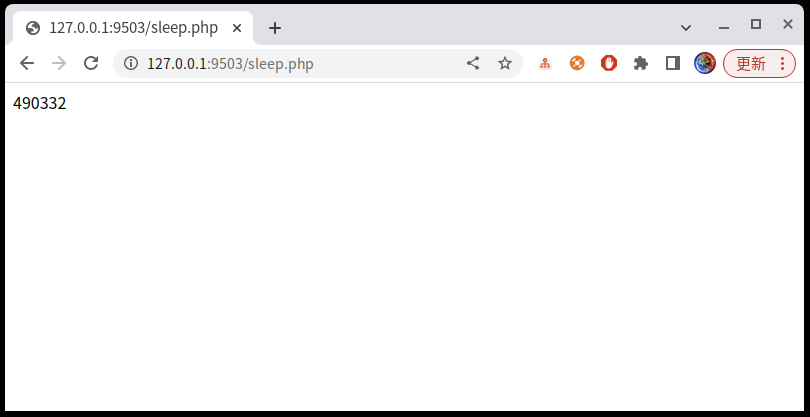 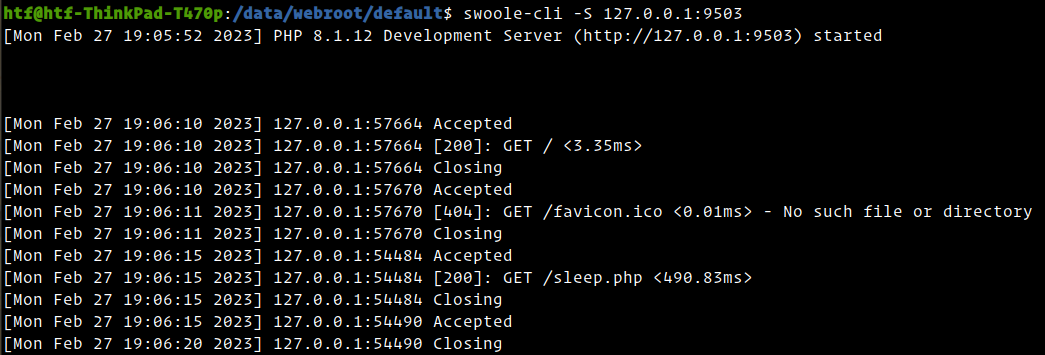 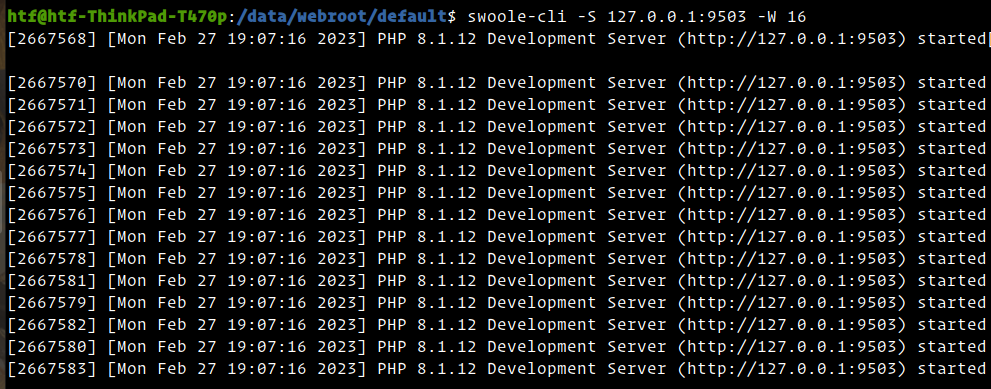 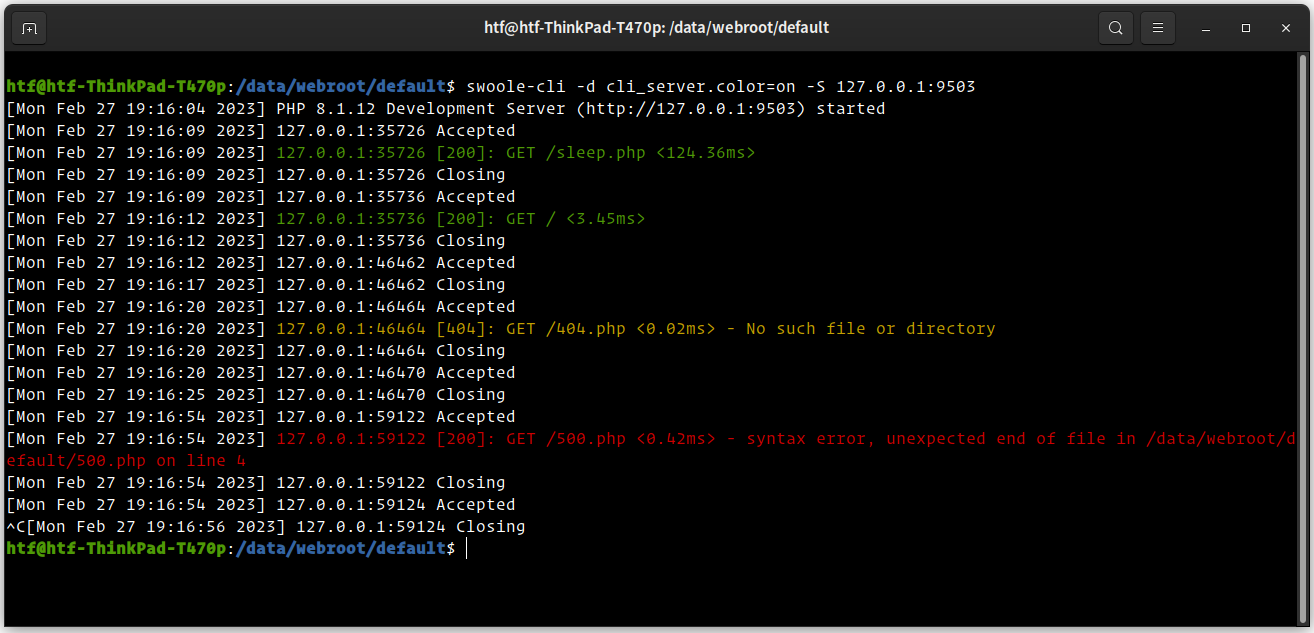 增加 readline 扩展 ----- 新增了 `readline` 扩展,在使用 `swoole-cli -a` 交互式终端时,获得自动补全的能力。 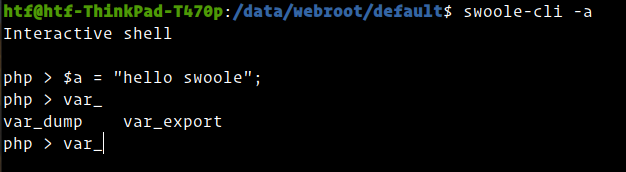
发布于3年前 · 52 次浏览 · 来自
分享
Rango
最近我们发布了 `Swoole-Cli v5.0.2`,这个版本增加了 `opcache` 扩展,使得 `swoole-cli` 内置的 `php-fpm`、`cli-http-server` 也可以用于生产环境了,而不仅仅是作为测试使用。 目前 `swoole-cli` 支持了 `5` 种环境的二进制包可供大家选择: - `Linux x86-64` - `Linux arm64` (`aarch64`) - `Windows CygWin x86-64` - `macOS arm64` (`aarch64`、`Apple M1/M2`) - `macOS x86-64` > 下载地址:[https://www.swoole.com/download](https://www.swoole.com/download) `Swoole-Cli` 是完全静态编译的,不依赖任何动态链接库,可直接下载到任意操作系统上使用,而不需要额外其他第三方包。 在 `Docker/K8s` 环境下也尤为便利,可使用最简化的 `alpine linux` 基础镜像,然后安装 `swoole-cli` 构建镜像,最终的镜像只有 `100M-200M` 。 增加 Opcache 扩展 ----- ```shell swoole-cli --ri opcache opcache Version => 8.1.12 ``` 在 `5.0.2` 版本中 `swoole-cli` 集成了 `php-fpm`、`cli-http-server` ,但由于未支持 `opcache` 扩展,所以仅可用于测试环境。新的 `5.0.2` 版本中将 `opcache` 也静态编译到了 `swoole-cli` 二进制程序中。 这样内置的 `php-fpm`、`cli-http-server` 服务就可以使用 `opcache` 和 `opcache.jit` 进行加速,性能达到生产可用。 强化 Cli-Http-Server ----- 在 `5.0.2` 版本中我们还强化了 `PHP` 的内置 `Web` 服务器,更新内容包括: - 通过 `-W <进程数量>` 启动多个工作进程 - 添加了进程管理器,工作进程异常退出后,可以重新拉起新的进程 - 通过 `-o <log_file>` 设置请求日志文件的路径 - 在请求日志中添加了处理耗时信息 - 写日志时使用 `flock` 加锁,防止多进程写日志可能出现的错乱 - 去掉了 `select`,直接使用 `accept` 系统调用,避免启动大量工作进程发生惊群效应浪费系统资源 - 保留使用 `-d cli_server.color=on` ini 参数设置日志颜色 - 保留使用 `PHP_CLI_SERVER_WORKERS=N swoole-cli -S` 环境变量设置工作进程数量 - 新增使用 `-d cli_server.log_level=0` ini 参数设置日志等级 ```shell htf@htf-ThinkPad-T470p:~/workspace$ swoole-cli -h Usage: swoole-cli [options] [-f] <file> [--] [args...] swoole-cli [options] -r <code> [--] [args...] swoole-cli [options] [-B <begin_code>] -R <code> [-E <end_code>] [--] [args...] swoole-cli [options] [-B <begin_code>] -F <file> [-E <end_code>] [--] [args...] swoole-cli [options] -P --fpm-config <file> swoole-cli [options] -S <addr>:<port> [-t docroot] [router] swoole-cli [options] -- [args...] swoole-cli [options] -a -a Run as interactive shell (requires readline extension) -P Run with fpm -S <addr>:<port> Run with built-in web server. -c <path>|<file> Look for php.ini file in this directory -n No configuration (ini) files will be used -d foo[=bar] Define INI entry foo with value 'bar' -e Generate extended information for debugger/profiler -f <file> Parse and execute <file>. -h This help -i PHP information -l Syntax check only (lint) -m Show compiled in modules -r <code> Run PHP <code> without using script tags <?..?> -B <begin_code> Run PHP <begin_code> before processing input lines -R <code> Run PHP <code> for every input line -F <file> Parse and execute <file> for every input line -E <end_code> Run PHP <end_code> after processing all input lines -H Hide any passed arguments from external tools. -U Update swoole-cli to the latest version -t <docroot> Specify document root <docroot> for built-in web server. -W <worker_num> Specify number of workers <worker_num> for built-in web server. -o <log_file> Specify log file path <log_file> for built-in web server. -s Output HTML syntax highlighted source. -v Version number -w Output source with stripped comments and whitespace. -z <file> Load Zend extension <file>. args... Arguments passed to script. Use -- args when first argument starts with - or script is read from stdin --ini Show configuration file names --rf <name> Show information about function <name>. --rc <name> Show information about class <name>. --re <name> Show information about extension <name>. --rz <name> Show information about Zend extension <name>. --ri <name> Show configuration for extension <name>. ```     增加 readline 扩展 ----- 新增了 `readline` 扩展,在使用 `swoole-cli -a` 交互式终端时,获得自动补全的能力。 
赞
0
收藏
提问
分享
讨论
建议
公告
开发框架
TypePHP
CodeGalaxy
登录
后参与评论
评论
2023-02-28
新用户(923)
这个跟搭配nginx的php-fpm啥区别?
赞
0
回复